
Introduction to the Production Possibilities Frontier (PPF)
Unit 1 · Lesson 1.8 · Last updated May 20, 2026
A 45-minute lesson where students build and analyze a production possibilities frontier model using a bookmark production simulation to explore scarcity, opportunity cost, and economic modeling.
Overview
In this lesson students begin to learn about the role of models in economics. Students use data from a production simulation to create a production possibilities frontier (PPF; also called the production possibilities curve) before analyzing how principles of economic thinking are evident in a PPF model.
Video Tutorial
Learning Objectives
- Explain the role of models in economics.
- Apply the concepts of scarcity, choice, opportunity cost, and the interdependence principle to a production possibilities frontier.
Create a free account, or log in.
Get full access to materials, the complete lesson sequence, aligned standards, and every lesson across all units.
Already a member? Sign in here.
Materials
- Instruction Slides (display during class period)
- Student Handout (1 copy per student)
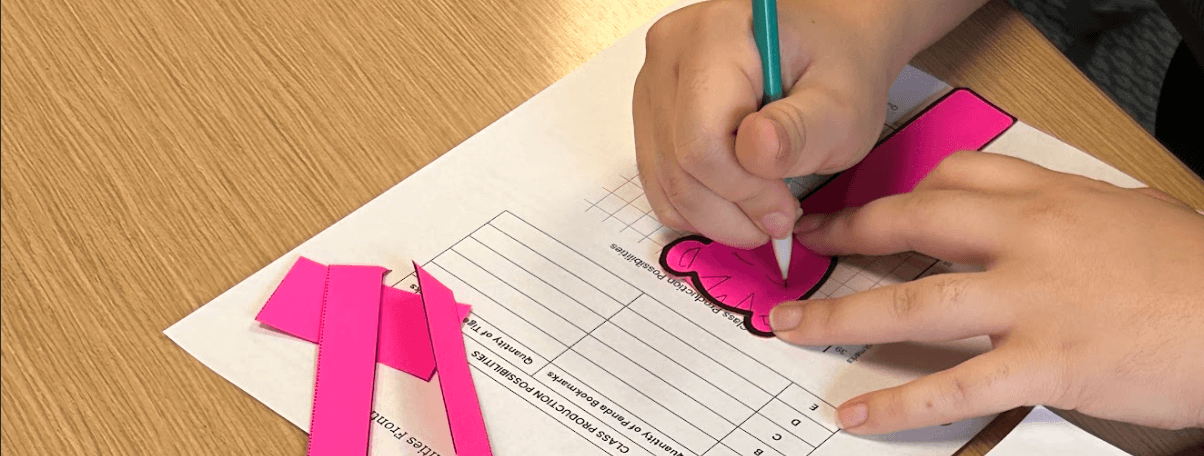
- Bookmark Template (1 copy per 4 students, preferably on cardstock, cut into 4 strips)
- Scissors (1 pair per 2 students)
Optional
- 1 toy airplane and 1 paper airplane
Lesson Sequence
Slides 2–3
- Display Slide 2. Ask students to discuss the question on the slide with a peer. Additional educator tips and suggested answers are in the notes section throughout Instruction Slides.
- Proceed to Slide 3 and introduce the learning objectives, noting that the first objective is linked to the discussion of the model airplane.
Slides 4–16
- Progress through Slides 4–5. Distribute 1 copy of Student Handout to each student. Discuss the activator question as a class and emphasize the ways in which an airplane figurine and a real airplane are similar and dissimilar. Direct students to add notes, drawings, and examples to Student Handout throughout the lesson.
- Advance to Slide 6. Define an economic model. Click to reveal the text and explain that economists choose the model most suited to their research question or the economic principle they are communicating.
- Proceed to Slide 7. Explain that a model allows economists to develop and test causal relationships — determining how a change in one variable might affect others. By assuming all variables remain fixed (ceteris paribus) except one, economists can make arguments about cause and effect.
- Display Slide 8. Tell students they will create an economic model using data from an in-class simulation.
- Proceed to Slide 9. Introduce the assumptions under which the simulation will take place and the resources students will use.
- Advance to Slide 10. Organize students into pairs. Distribute 1 strip of Bookmark Template to each student and scissors to each pair. Instruct students to clear their desks except for distributed items and a pencil. Explain the task, noting that samples of completed bookmarks will be displayed momentarily.
- Display Slide 11. Encourage questions about the task. Once students are clear, tell them to begin. Allow approximately 5 minutes for each student to produce 1 bookmark.
- Display Slide 12. Poll students on which bookmark they chose to produce. Record the quantity of panda bookmarks and tiger bookmarks in the Possibility C row in the table on the slide. Tell students to record this data in their table on Student Handout. Note: Slide 13 (skipped in Slideshow mode) shows hypothetical data for a class of 33 students.
- Complete the two remaining columns as a class. For Possibility A: "If zero student workers had produced a panda bookmark, how many tiger bookmarks could we have produced?" (Total students in class.) For Possibility B: "If only 3 student workers had produced panda bookmarks, how many tiger bookmarks could we have produced?" (Total students minus 3.) Follow this process to determine Possibilities D and E.
- Proceed to Slide 14. Tell students they will now use the data table to create a graphical model of their society's production possibilities. Instruct students to plot Possibilities A–E on the graph on Student Handout. Demonstrate using a smartboard, document camera, or hand-drawn model, plotting Possibility A first and labeling it. Note: See Slide 15 (skipped in Slideshow mode) for an example using hypothetical data.
- Once all five possibilities are plotted, direct students to draw a straight line connecting the points. Tell students they have just created a production possibilities frontier. Note: See Slide 16 (skipped in Slideshow mode) for a completed example using hypothetical data.
Slides 17–28
- Progress through Slides 17–18. Define production possibilities frontier (PPF). Explain that it is an economic model — a simplified representation of complex production choices and outcomes. No society only produces two goods, but the model helps economists think about the choices producers make and the constraints they face.
- Advance to Slide 19. Explain that a PPF should always have a title indicating the identity of the producer and axis labels indicating quantity of a good or service produced.
- Advance to Slide 20. Click to reveal and explain, one at a time, what points on the PPF, to the left of the PPF, and to the right of the PPF mean. Ask students how each point relates to the class simulation. Encourage students to add notes and draw additional points on their model.
- Display Slide 21. Explain that economists often make claims based on economic models. Click to reveal the claim types and help students distinguish between positive and normative economic statements. Encourage students to add notes and examples to Student Handout.
- Proceed to Slide 22. Give students 3 minutes to discuss the questions with a peer, then debrief as a class.
- Display Slide 23. Explain that students will now practice analyzing a PPF. Give students 4 minutes to study the model and answer the accompanying prompts on Student Handout.
- Advance through Slides 23–28 to debrief the practice exercise. Reference the notes section of Instruction Slides for suggested responses.
Slides 29–30
- Progress through Slides 29–30. Direct students to follow the instructions on Slide 30. If time permits, call on students to share their responses with the class.
Aligned Standards
Voluntary National Content Standards in Economics
What Educators Are Saying
The making of bookmarks made it very hands on for students. They had to make the decisions and were easily able to see how PPF works. They laughed, and had "a-ha's." One student came up to me after class to ask if we would be playing more games like this.
Easy to implement and effective for having students learn about PPC and opportunity cost. I time this with the day students get their choice read books in English so they immediately start using it and have a visual reminder of economics carried around with them.
I loved this lesson and so did my students. I am trying to incorporate more student driven learning in my classroom and this worked great!